
Fast. Secure. Reliable Cybersecurity for Modern Businesses.
Protect, detect, and respond to cyber threats before they impact your business, data, and reputation.
Enterprise-grade security for your WordPress site. Real-time login protection, rate limiting, CAPTCHA, attack logging, and site hardening — completely free to install.
Install in 3 steps
Free Features
Nine powerful protection layers — all free, no account required, no upsell traps. Click any feature to jump to its setup guide.
/wp-login.php to any path you choose — bots never find the door.How to set it up
Follow each step inside your WordPress admin. No developer needed — every setting is explained in plain English.
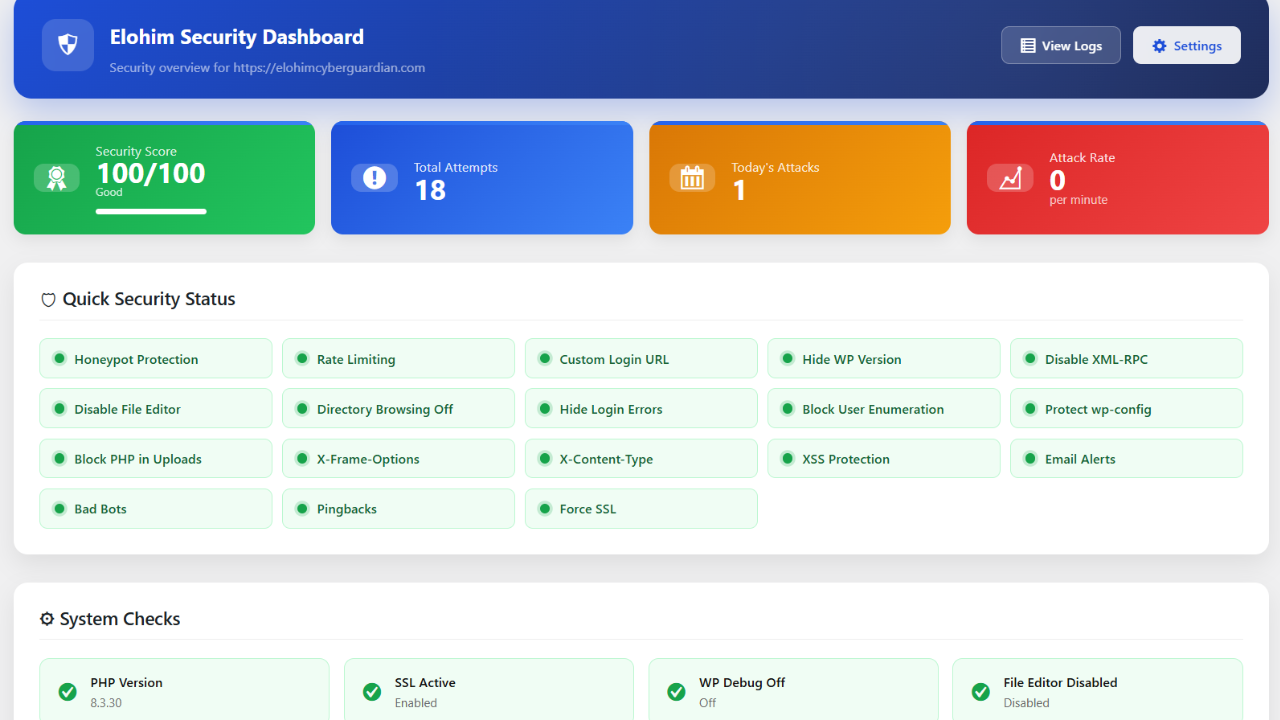
After activating the plugin, go to Elohim Security → Dashboard. You will instantly see your protection status, total login attempts, blocked IPs, and a live activity chart.
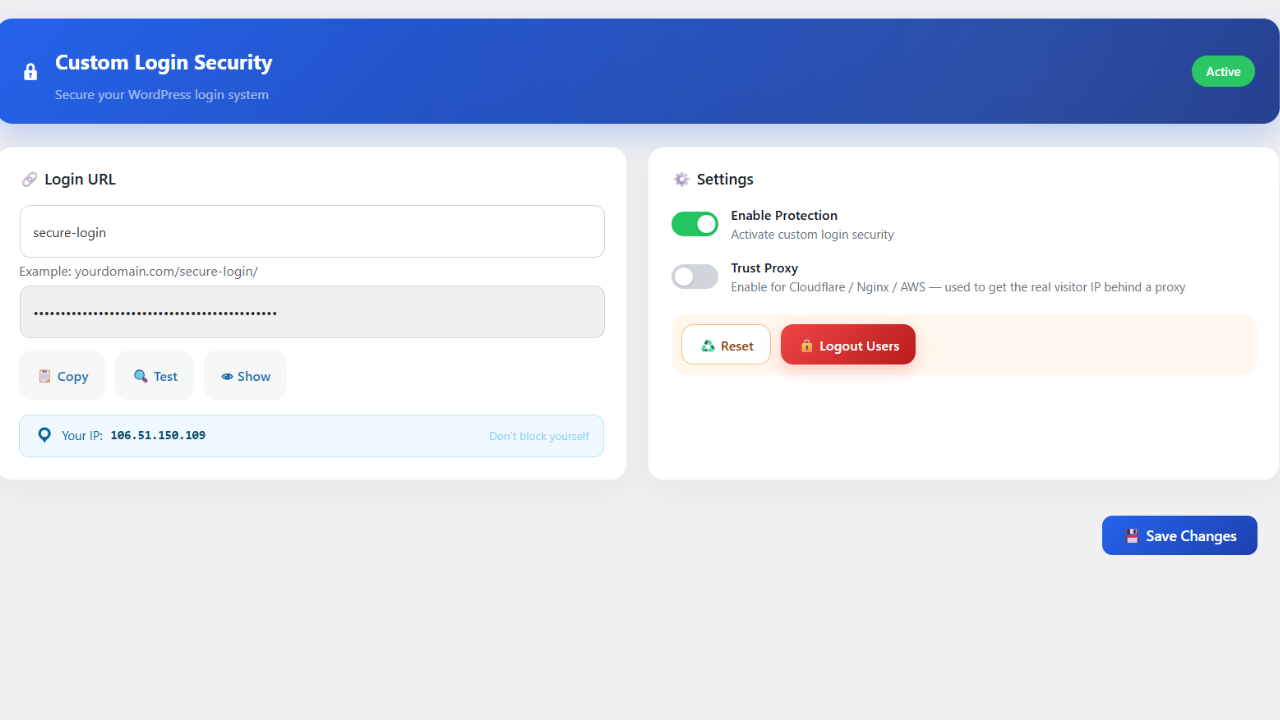
Go to Elohim Security → Login URL. Replace the default /wp-login.php with any slug you choose. The old URL safely redirects attackers away.
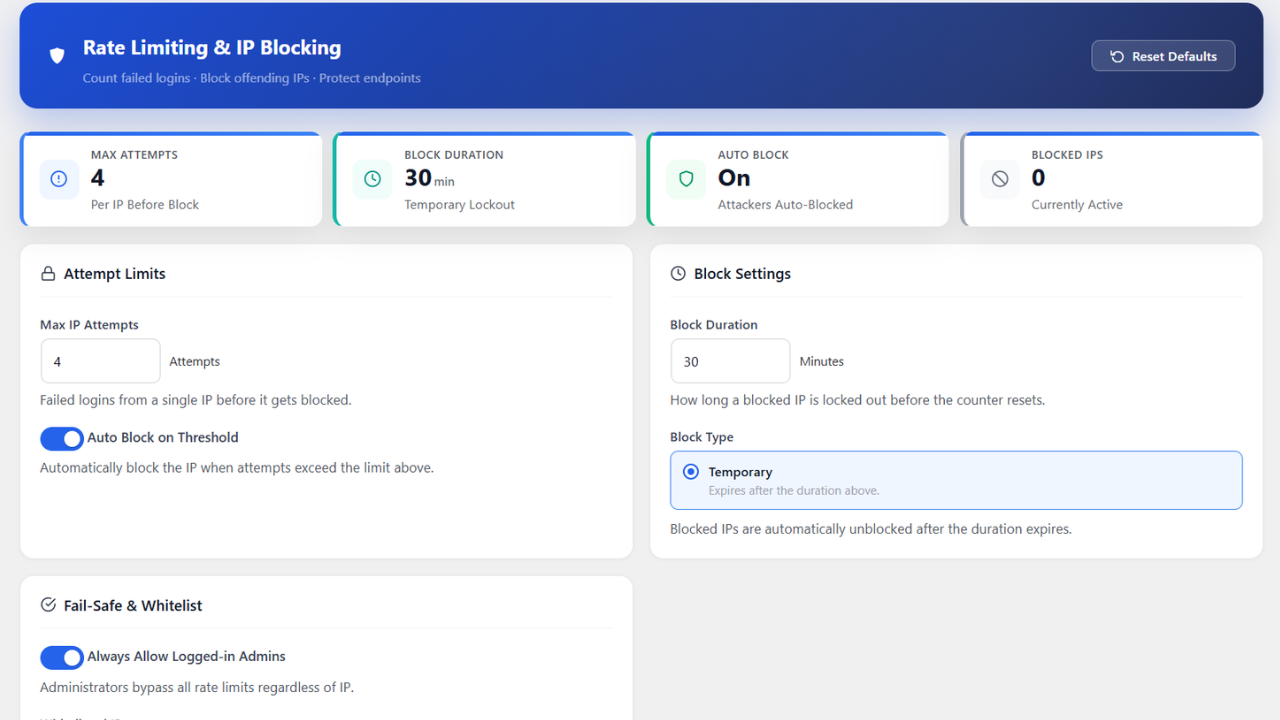
Go to Elohim Security → Rate Limiting. Set how many failed logins are allowed before an IP is blocked, and how long the block lasts.
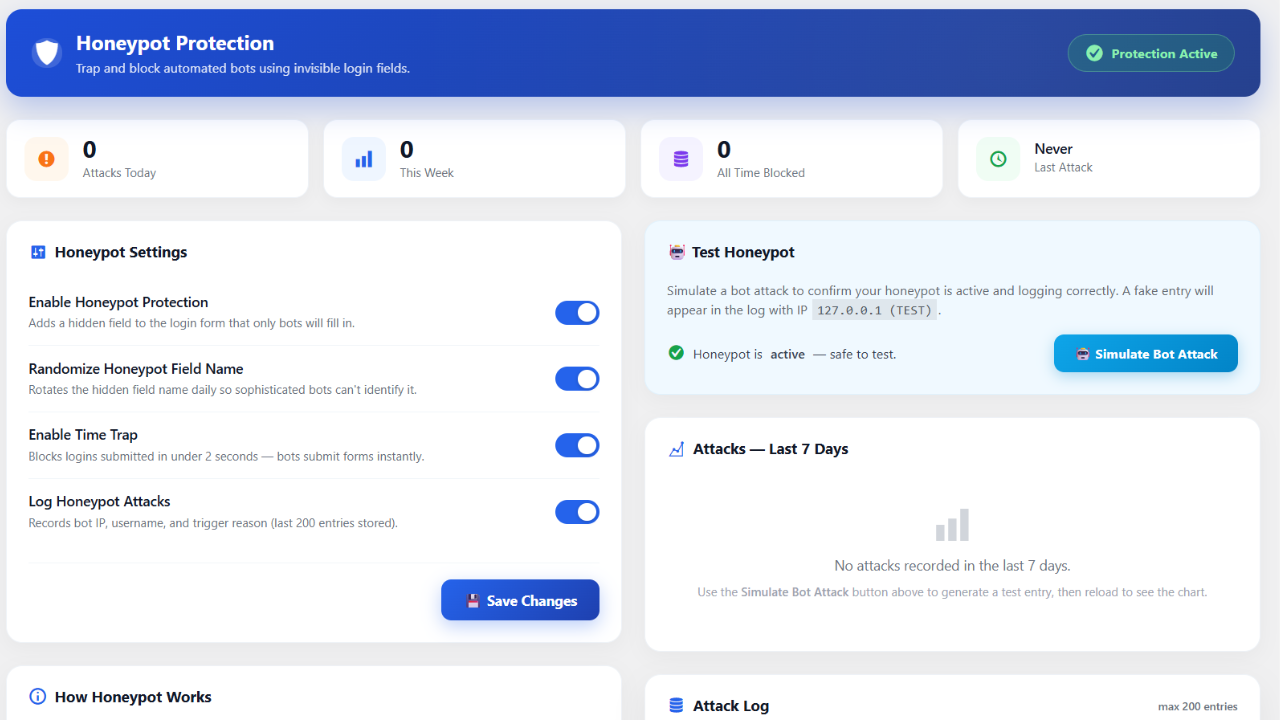
Go to Elohim Security → Honeypot. Enable the invisible honeypot trap — only bots fill it in. Real users are completely unaffected.
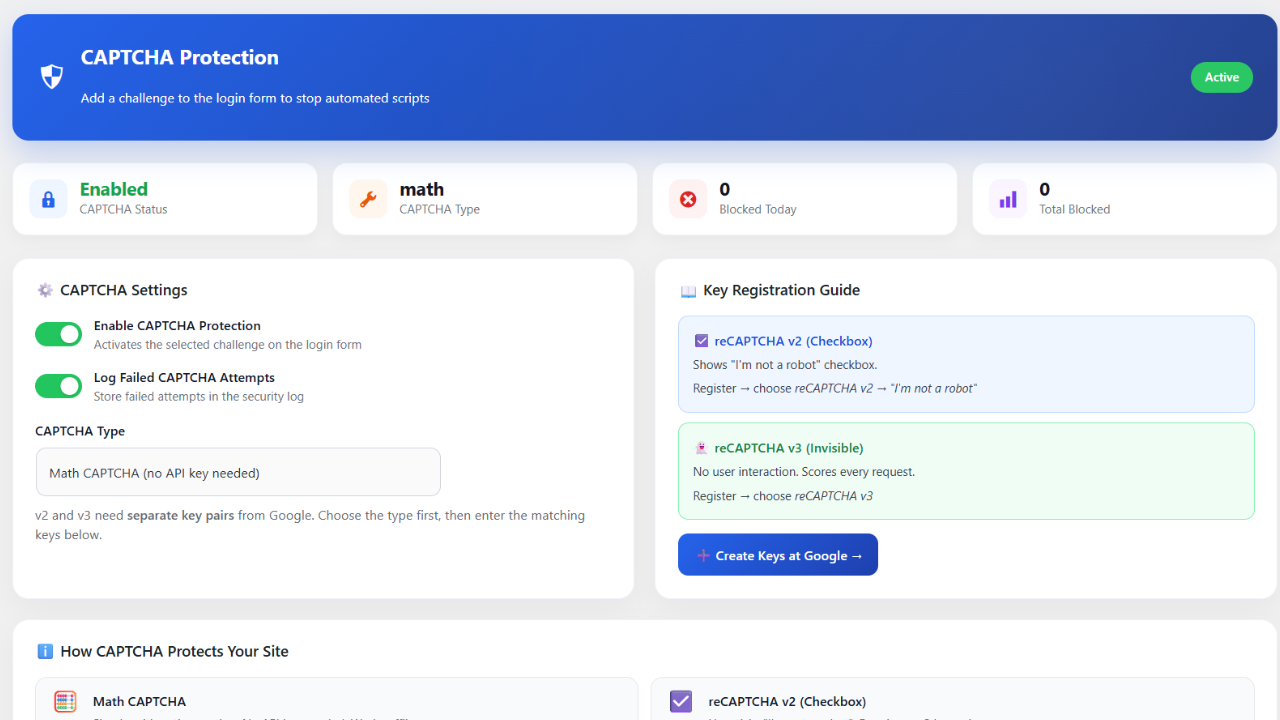
Go to Elohim Security → CAPTCHA. Choose built-in math CAPTCHA (no API key needed) or Google reCAPTCHA v2/v3 for more advanced bot filtering.
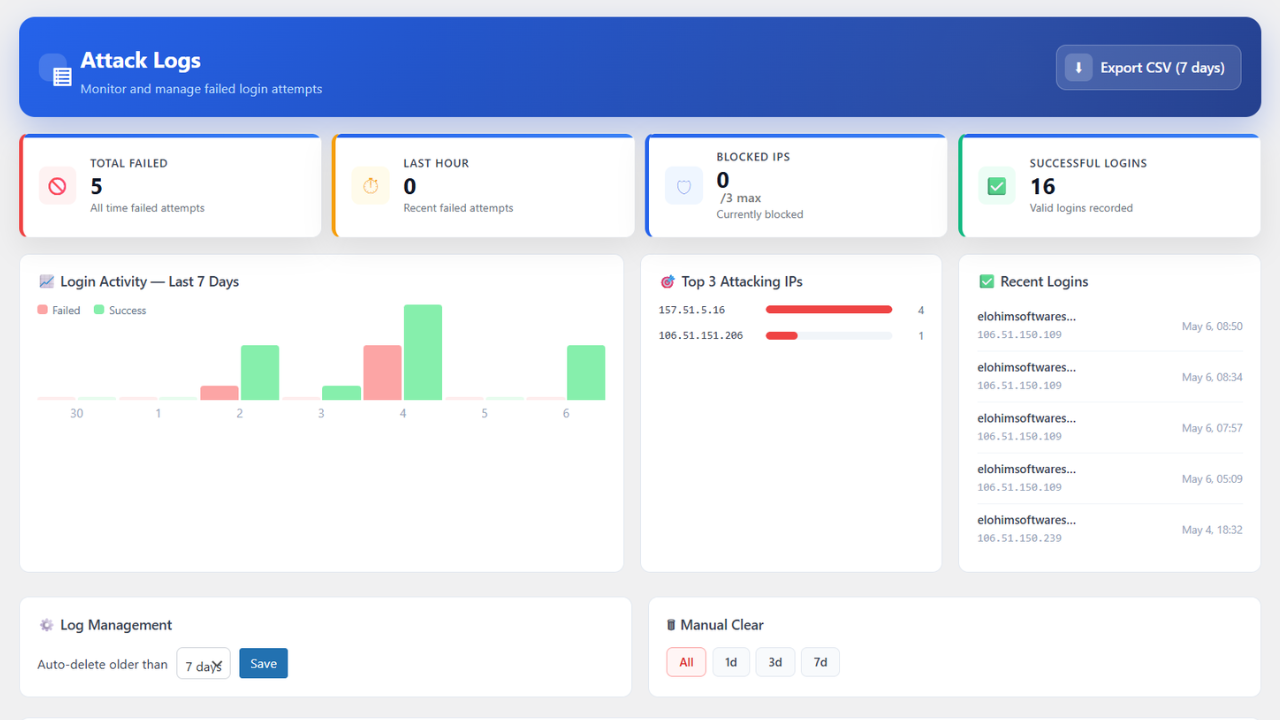
Go to Elohim Security → Attack Logs. Every login attempt is recorded with IP, username, timestamp, country, and whether it was blocked or allowed.
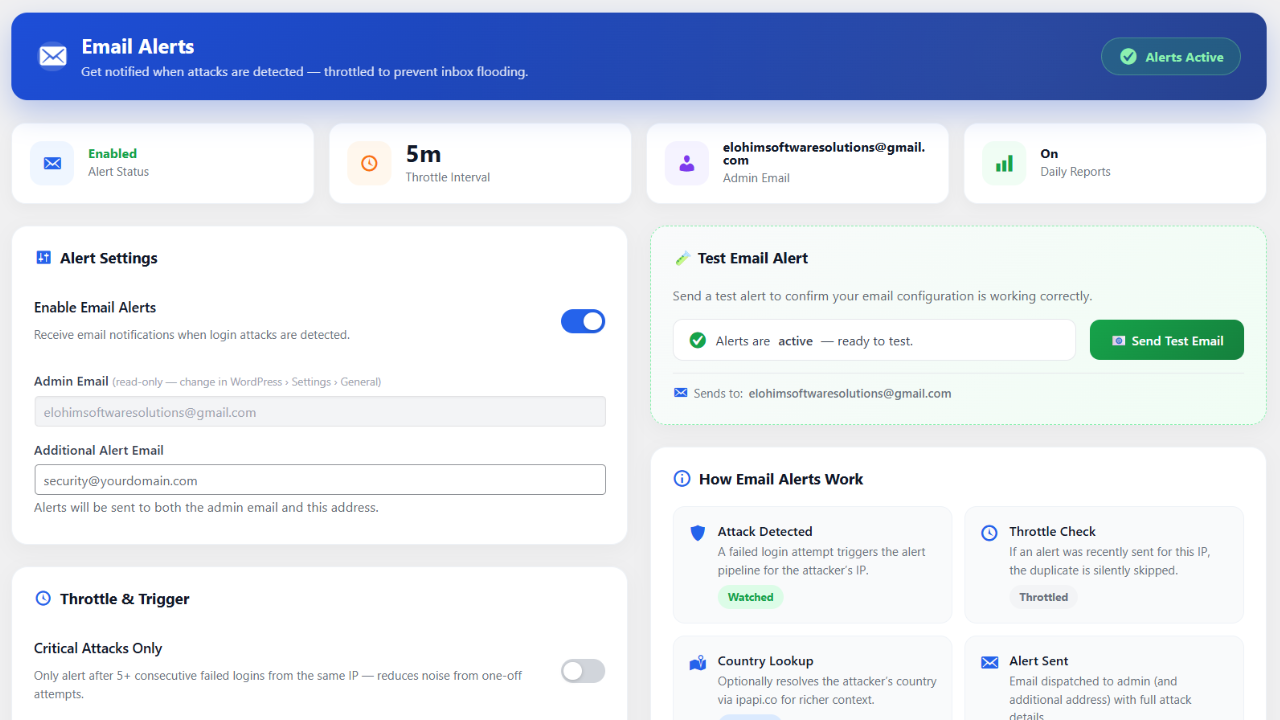
Go to Elohim Security → Email Alerts. Enter your notification email and set the trigger threshold — get alerted the moment suspicious activity is detected.
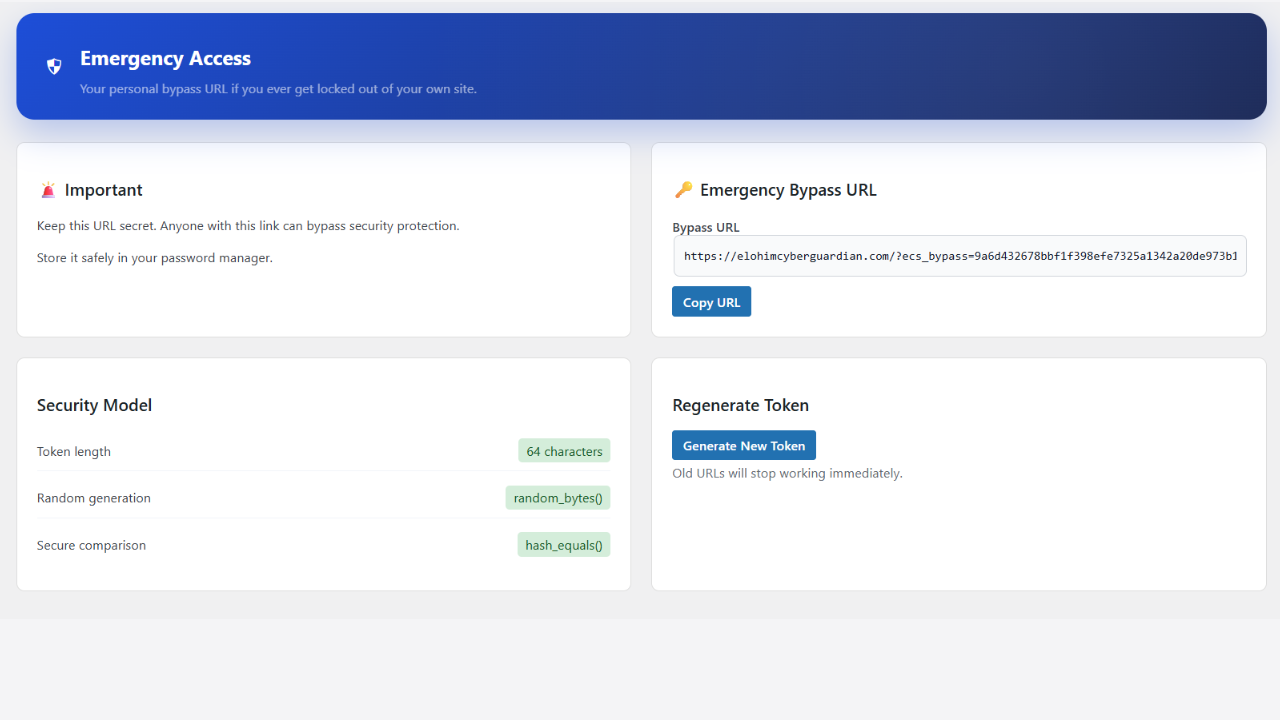
Go to Elohim Security → Emergency Access. Generate a secure one-time bypass URL and save it — it works even if your login URL has been changed.
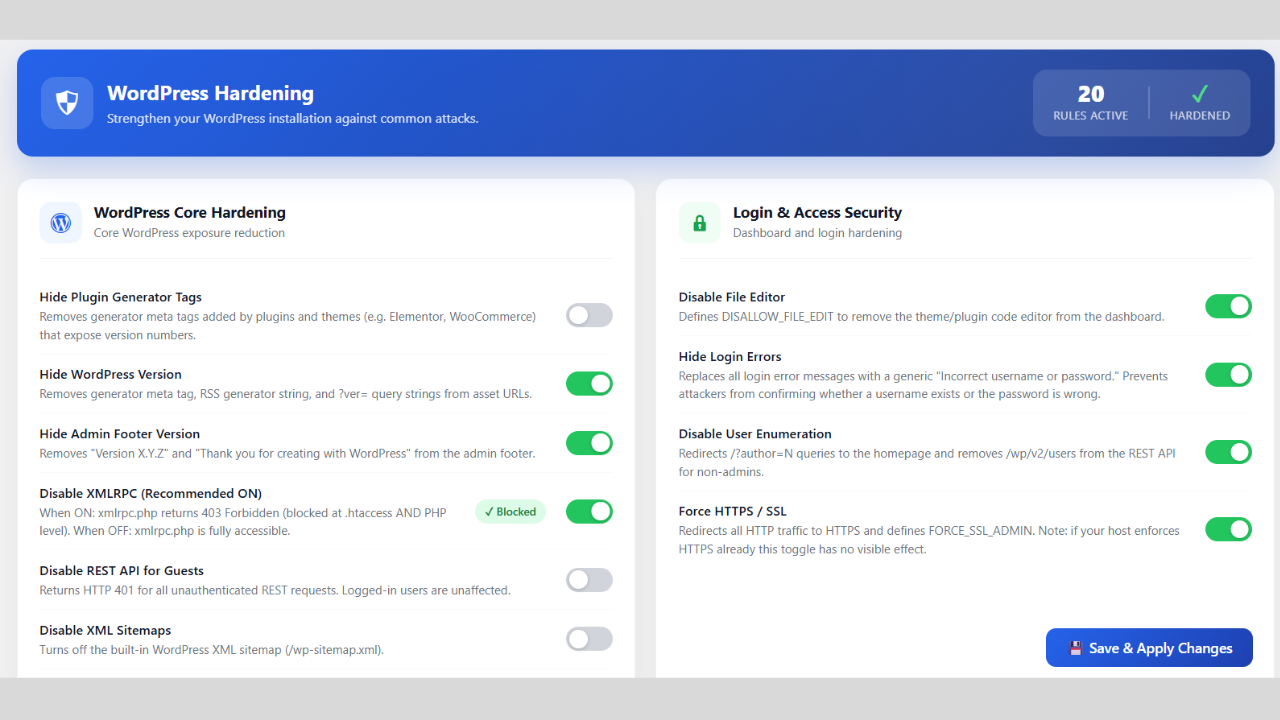
Go to Elohim Security → Hardening. Toggle the protections that fit your site. Each option is explained in plain English — enable what you need, skip what you do not need.
Head back to your Dashboard to confirm all protections show green. Your site now has login protection, bot blocking, attack logging, and hardening active — running silently in the background.
A comprehensive suite of cybersecurity services designed to safeguard your organisation's digital assets, data, and infrastructure — built on the latest technology and industry best practices.
Complete protection from malware, hackers, and vulnerabilities — includes our free plugin.
Employee training programmes to build a human firewall against phishing and insider threats.
Managed IT support, network hardening, and infrastructure security for your business.
Identify and fix network vulnerabilities before attackers exploit them.
Deep testing of web apps for OWASP Top 10, injection flaws, auth bypass, and more.
Simulated real-world attacks to test your defences across people, processes, and technology.
Phishing simulations and human-layer testing to identify your weakest security link.
Audit of AWS, Azure, GCP environments for misconfigurations, exposure, and access risks.
Identify vulnerabilities in connected devices, firmware, and IoT communication protocols.
Complete risk assessment — identify, analyse, evaluate, and mitigate threats effectively.
24/7 Security Information & Event Management with a dedicated Security Operations Centre.
Post-breach investigation — trace attack origin, recover evidence, and prevent recurrence.
Fast recovery support ensuring quick resolution, minimal downtime, and full restoration.
A compact, connected workflow designed for clarity.
Identify vulnerabilities in your system.
Simulate attacks and detect hidden flaws.
Apply firewall rules and protections to prevent attacks.
24/7 monitoring and threat response.
Delivering proactive security protection and actionable insights.
Monitoring
WordPress Plugin
Threat Detection
Websites Protected
We deliver next-generation cybersecurity solutions designed to protect your digital assets, improve performance, and ensure uninterrupted business operations.
See exactly what you get with Elohim vs a typical security plugin
Everything in Free, plus powerful next-level features for businesses that need deeper protection. Launching soon — early members get founder pricing.
★ Founder pricing — only for early sign-ups · No spam
Everything you need to know about the free Elohim Cyber Guardian plugin
Yes — completely free. No trial period, no credit card, no hidden upsells. Login protection, rate limiting, honeypot, CAPTCHA, attack logs, email alerts, emergency access, and security hardening are all included at no cost.
No. All security checks run in microseconds at the server level. There is no impact on page load time, and it works without conflict with WooCommerce, Elementor, or any major WordPress theme.
Go to WP Admin → Plugins → Add New → search "Elohim Cyber Guardian" → Install → Activate. The security dashboard appears instantly in your menu — no configuration is required to start seeing data.
The plugin includes an Emergency Access feature. Before enabling rate limiting, go to Elohim Security → Emergency Access and generate a secure one-time bypass token. Save it somewhere safe — it lets you log back in even if your custom login URL has been changed.
Yes. You can choose between the built-in math CAPTCHA (no API key needed — works instantly) or Google reCAPTCHA v2 and v3. Both add minimal friction for real users while blocking automated bots.
Yes. The Attack Logs panel records every login attempt with the attacker's IP address, username tried, timestamp, country, and whether it was blocked. You can filter by status and set logs to auto-clear on a schedule.
It renames your default /wp-login.php to any path you choose — for example /my-portal. Bots and automated scanners look for the default path and never find it. Choose something unique and save the new URL before enabling it.
The plugin is designed for standard WordPress installations running version 6.0 or higher with PHP 8.0+. Multisite compatibility is planned for the Pro version currently in development.
The free plugin covers all the essential WordPress security layers — login protection, rate limiting, honeypot, CAPTCHA, attack logs, email alerts, emergency access, and hardening. Pro (coming soon) will add deeper features like malware scanning, file integrity monitoring, advanced firewall rules, country blocking, and scheduled PDF reports.
Yes. You can reach the Elohim team directly at info@elohimcyberguardian.com or call +91 97910 68923. We are a Chennai-based team of cybersecurity specialists and respond quickly to all queries.
We help businesses secure their digital assets with advanced protection and real-time monitoring.